
How to Stop Brand Impersonation Before It Costs You Customers
By SecureSist Security Research Team | Published September 1, 2026 | 8 min read
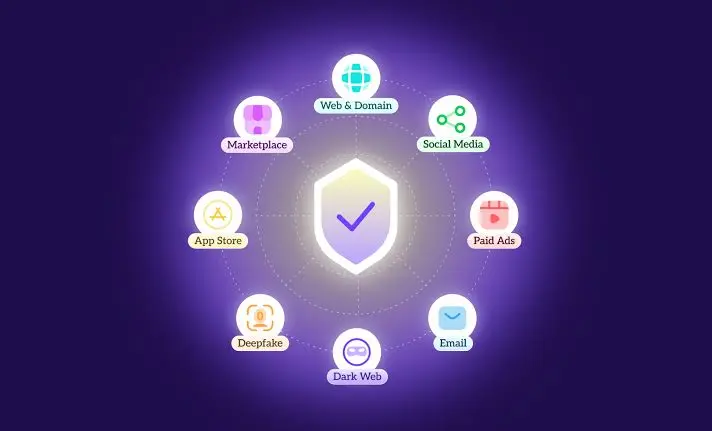
Brand impersonation monitoring is the fastest way to catch fake websites, cloned mobile apps, and fake social profiles that use your brand name before they reach your customers. It works by continuously scanning domains, app stores, social platforms, and the dark web for anything copying your name, logo, or product, then verifying and removing confirmed fakes, usually within hours instead of weeks. The rest of this guide shows exactly how that process works, what a rogue mobile app looks like in the wild, and the steps to take the moment you find one.
Key takeaways
- Brand impersonation includes fake domains, phishing kits, rogue mobile apps, and fake social media or support accounts.
- Research from brand protection vendor Bolster found that 72% of impersonation sites now replicate a brand’s entire customer journey, not just the login page.
- One in four victims interacts with a fake site or app within 24 hours of it going live, so detection speed matters more than detection volume.
- Fake apps increasingly reach official app stores through ad networks and traffic distribution systems, not just shady third party marketplaces.
- A documented takedown request usually gets a response from registrars and app stores within hours to a few days.
What Is Brand Impersonation, and Why Does It Happen
Brand impersonation is any attempt to pose as your business, product, or employees to deceive customers, partners, or staff. It happens because your brand name already carries trust, and attackers borrow that trust instead of building their own. The most common forms are:
- Fake or lookalike domains: typosquatted URLs, fake login pages, and cloned checkout flows.
- Phishing kits: pre built page templates that copy your real site to harvest credentials or card details.
- Rogue mobile apps: unauthorized apps using your name, logo, or app icon on official or third party app stores.
- Fake social media and support accounts: profiles impersonating your brand or staff to run scams in your comments and DMs.
- Fake ads: paid search or social ads that mimic your brand to redirect traffic to a scam page.
The 2026 Threat Landscape: What Impersonation Looks Like Right Now
Impersonation tactics keep shifting toward wherever trust is highest. Mobile threat researchers at Zimperium have documented several patterns worth knowing about in 2026:
- Fake apps posing as popular AI tools, used to deliver malware and backdoors to Android devices.
- A fraudulent Starlink branded app used to secretly mine cryptocurrency on infected phones.
- Fake dating apps distributed through social media to deliver targeted spyware.
- A traffic distribution network known as VexTrio pushing deceptive VPN and “optimizer” apps through official app stores, not just unofficial ones.
The pattern is clear: attackers no longer rely only on obscure third party app stores. They are getting fake, brand impersonating apps into official stores through ad networks and traffic distribution systems, which is exactly why manual, occasional app store searches are not enough anymore.
How Brand Impersonation Actually Hurts Your Business
Impersonation is not just a reputational annoyance. It has measurable business impact:
| Impersonation type | Where it appears | Typical damage | Detection difficulty |
| Fake domain or phishing page | Search ads, email, SMS links | Stolen credentials, card fraud, chargebacks | Medium |
| Rogue mobile app | Official and third party app stores | Malware, spyware, fake in app purchases | High |
| Fake social profile | Social platforms, messaging apps | Scam DMs, fake giveaways, customer distrust | Medium to high |
| Fake ad or listing | Search engines, marketplaces | Diverted revenue, brand dilution | Medium |
According to Bolster’s research, 72% of brand impersonation sites now recreate a company’s entire customer experience end to end, from login to checkout to support chat, which makes them far harder for an average customer to spot than the crude fake pages of a few years ago. That realism has a cost: Bolster also found that 15% of customers who fall for a scam never return to the real brand afterward, even once they realize what happened.
How to Detect Brand Impersonation Early
A practical detection program should run continuously, not as an occasional manual check. At minimum, it needs to cover:
- Domain and typosquat monitoring: tracking new domain registrations and SSL certificate transparency logs for names close to yours.
- App store sweeps: scanning official and third party app stores for apps using your name, logo, or screenshots.
- Social media listening: flagging new accounts impersonating your brand, executives, or support handles.
- Dark web and phishing kit monitoring: watching underground marketplaces for phishing kits built to clone your site.
- Verification before action: confirming a match is genuinely malicious, not a legitimate reseller or fan page, before filing a takedown.
This is the exact function of continuous brand impersonation and dark web monitoring, which correlates these signals automatically instead of leaving them to scattered manual searches across different teams.
Rogue Mobile App Detection: The Blind Spot Most Brands Miss
Most companies watch their website and social channels closely but rarely check app stores at all. That gap is exactly what attackers are exploiting. A rogue app typically shows one or more of these signs:
- A name that is nearly identical to yours, with a swapped letter, extra word, or different suffix.
- Your logo, icon, or product screenshots used without permission.
- Permission requests that go far beyond what the real app needs, such as contact list or SMS access for a simple utility app.
- A publisher name unrelated to your company, sometimes newly created with no other apps.
- Reviews mentioning features, prices, or support contacts that do not match your real product.
Because these apps increasingly reach official stores through ad networks rather than only sketchy sideload links, rogue mobile app detection needs to run on a schedule, not just after a customer complains.
What to Do the Moment You Find a Fake
Speed matters more than perfection here. Follow this order:
- Capture evidence: screenshots, URLs, app store listing IDs, and timestamps before anything can be edited or removed by the operator.
- Verify it is not legitimate: rule out authorized resellers, affiliates, or fan accounts.
- File a takedown request: with the app store, domain registrar, hosting provider, or social platform, citing the specific policy violated.
- Warn customers proactively: a short notice on your real site or social channels reduces how many people fall for the fake while the takedown is pending.
- Escalate where needed: involve legal counsel or law enforcement if financial fraud or data theft is confirmed.
- Monitor for recurrence: attackers often relaunch the same scam under a slightly different name within days.
Because employees and support teams are usually the first to hear about a fake from confused customers, they need to recognize the signs immediately. Structured phishing and brand impersonation awareness training for staff shortens the time between a customer report and a verified takedown request.
Building Long Term Corporate Brand Protection
Detection and takedown solve individual incidents. Corporate brand protection is the strategy that ties detection, response, employee training, and leadership reporting together so the same gaps do not keep reopening. A mature program typically includes ongoing monitoring across domains, apps, and social platforms, a documented response playbook with clear ownership, regular reporting to leadership on exposure and takedown speed, and periodic reviews of new channels where your brand could be impersonated next, including emerging platforms and marketplaces. Companies building this out from scratch generally get there faster by starting from an integrated threat intelligence and brand protection solution rather than stitching together separate point tools for domains, apps, and social media.
Manual Checks vs Continuous Monitoring
| Approach | Speed | Coverage | Risk of a missed impersonation |
| Occasional manual search | Days to weeks | Low, limited to obvious channels | High |
| Internal team with alerts | Hours to days | Medium, depends on tools used | Medium |
| Continuous automated monitoring | Minutes to hours | High, spans domains, apps, and social | Low |
Frequently Asked Questions
What is brand impersonation monitoring?
It is the ongoing practice of scanning domains, mobile app stores, social platforms, and the dark web for content that copies your brand name, logo, or identity to deceive customers, employees, or partners, combined with a process to verify and remove confirmed fakes.
How do I know if someone made a fake app using my brand?
Search app stores directly for your brand name and close misspellings, check for unauthorized use of your logo or screenshots, review permission requests that exceed what your app actually needs, and watch for support tickets describing features your real app does not have.
How long does it take to get a fake app or site taken down?
With a documented, evidence backed report, most app stores, registrars, and hosting providers respond within a few hours to a few days. Automated monitoring and takedown workflows can cut this to minutes once a match is confirmed.
Is brand impersonation monitoring only for large enterprises?
No. Smaller businesses are frequently targeted because attackers assume weaker monitoring. The FTC published guidance in September 2025 specifically for small businesses on stopping impersonators, which reflects how widespread the problem is outside large enterprises.
What is the difference between brand impersonation and trademark infringement?
Trademark infringement is a legal claim resolved through legal channels, often over weeks or months. Brand impersonation is the broader security problem of someone posing as your brand to deceive people, and it needs fast detection and takedown regardless of whether a legal case is filed.
Can AI help detect brand impersonation faster?
Yes. AI based monitoring scans far more domains, app listings, and social profiles than manual review, flags visual and text similarity to your real brand assets, and prioritizes the highest risk matches for human verification, shortening the gap between a fake going live and it being reported.
Not sure what is already impersonating your brand right now? Request a consultation to see how continuous monitoring fits your risk profile.